Forgot Your Password? No Problem.
Last updated June 20, 2025
It happens to all of us—you try to log in, and your password just isn’t working. No worries. Resetting your password is quick and easy, and you’ll be back into your account in no time.
Here’s How It Works
- Click “Forgot Password” On the login screen, click the “Forgot password?” link below the sign-in form.
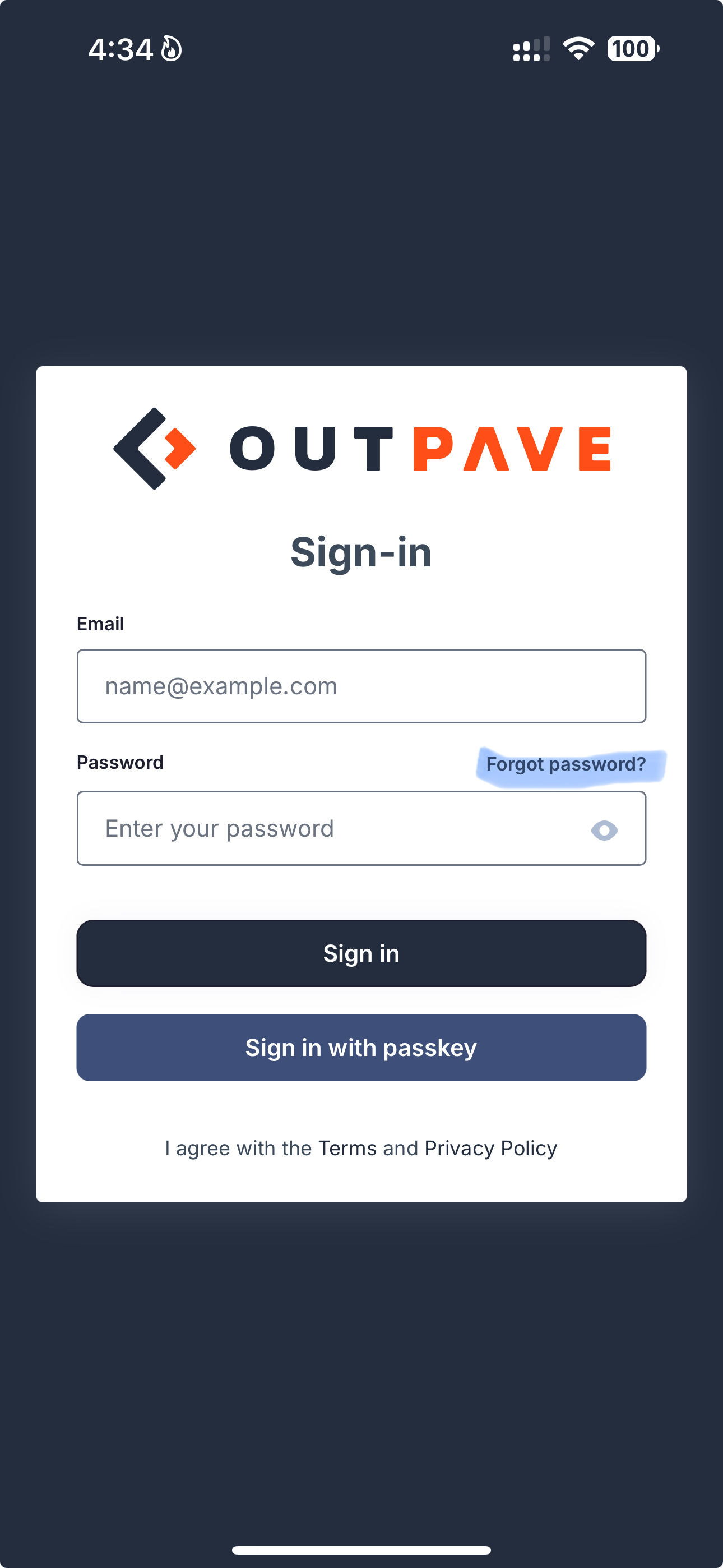
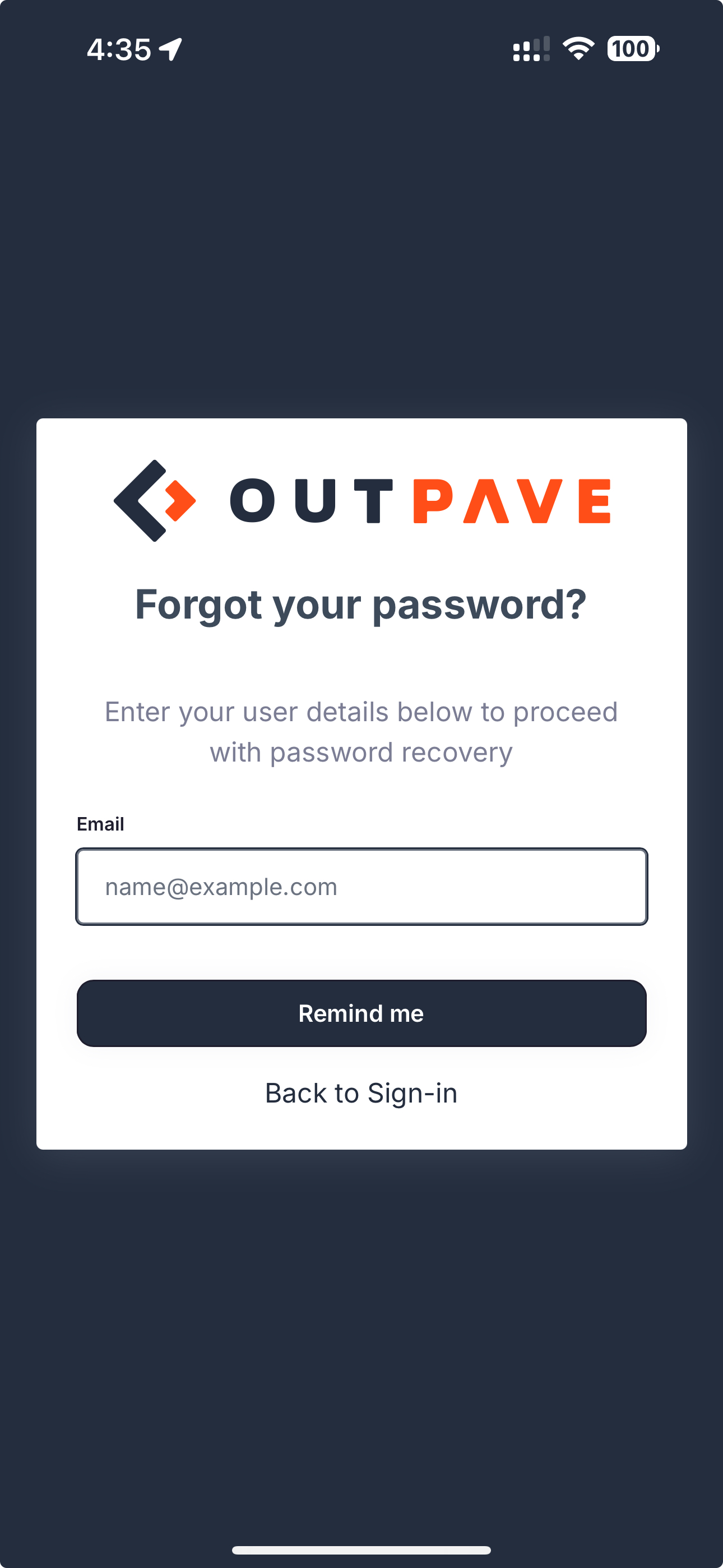
- Enter Your Email We’ll ask you to enter the email address you use with your account.
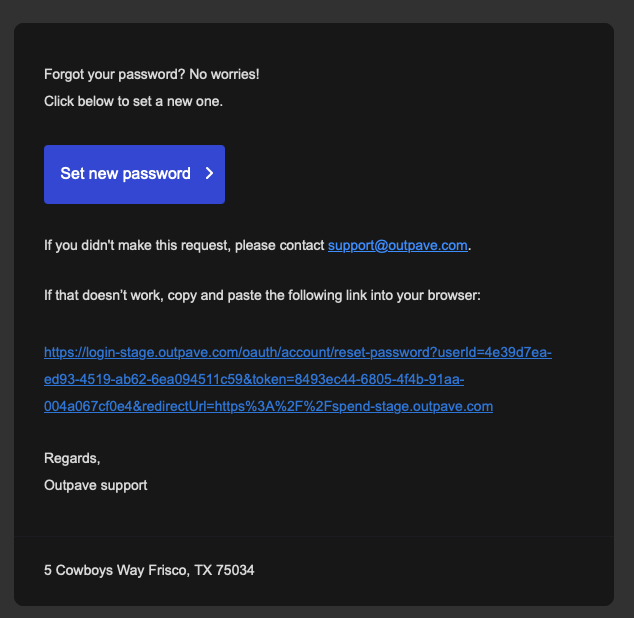
- Check Your Inbox Within a minute or two, you’ll receive an email from us with a secure link to reset your password. (If you don’t see it, check your spam or promotions folder just in case.)
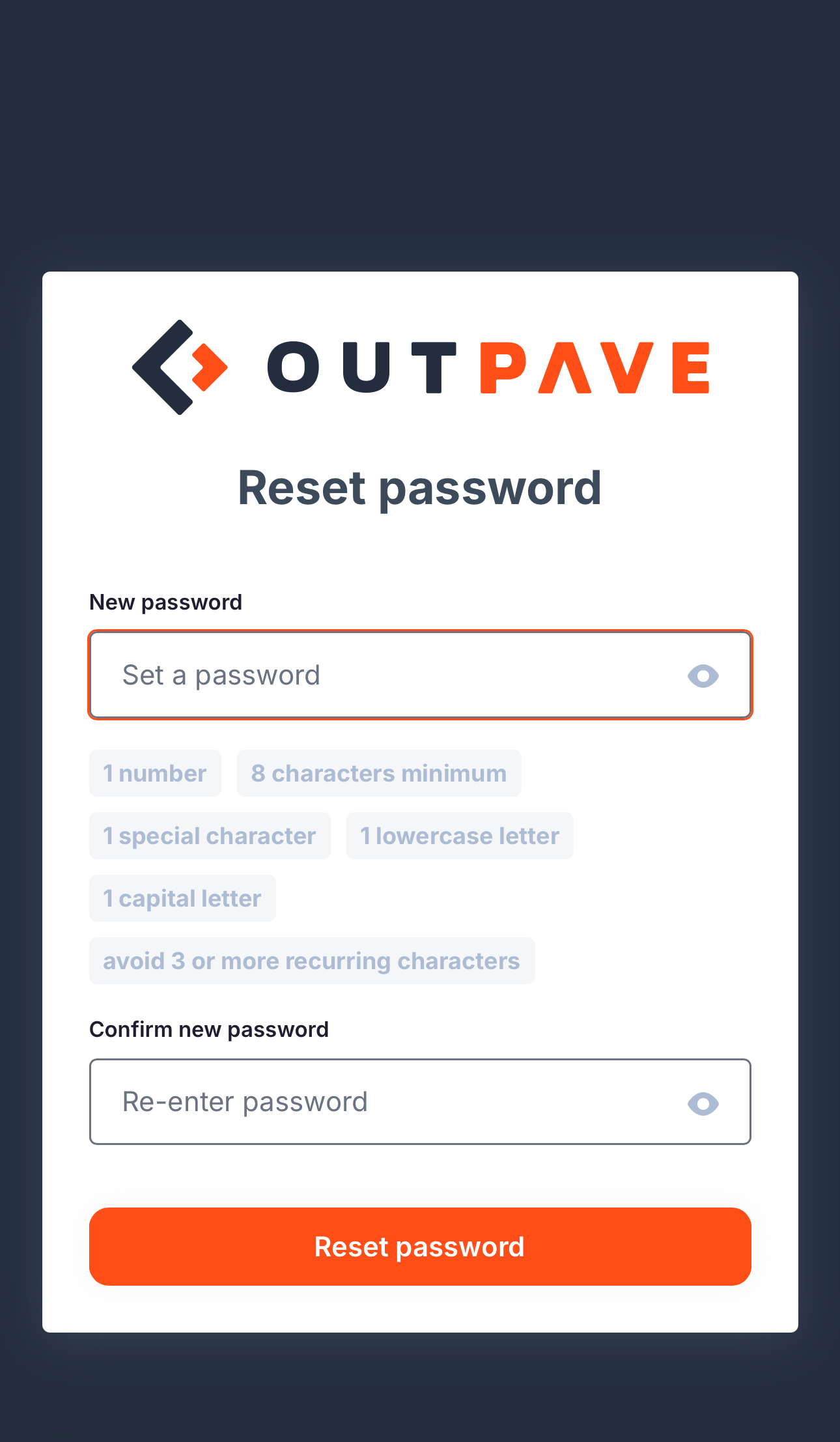
- Choose a New Password Click the link in the email, enter a new password, and confirm it. You’ll be redirected back to the login screen.
- Log In with Your New Password That’s it—you’re all set.
A Few Tips
- Make sure to choose a strong password you haven’t used before.
- If the email doesn’t arrive after a few minutes, try requesting it again or contact our support team.
- Once you reset your password, the old one will no longer work.
Need Help?
If you run into any issues at all, feel free to contact us. We’re here to help and can walk you through the process if needed.
Was this article helpful?